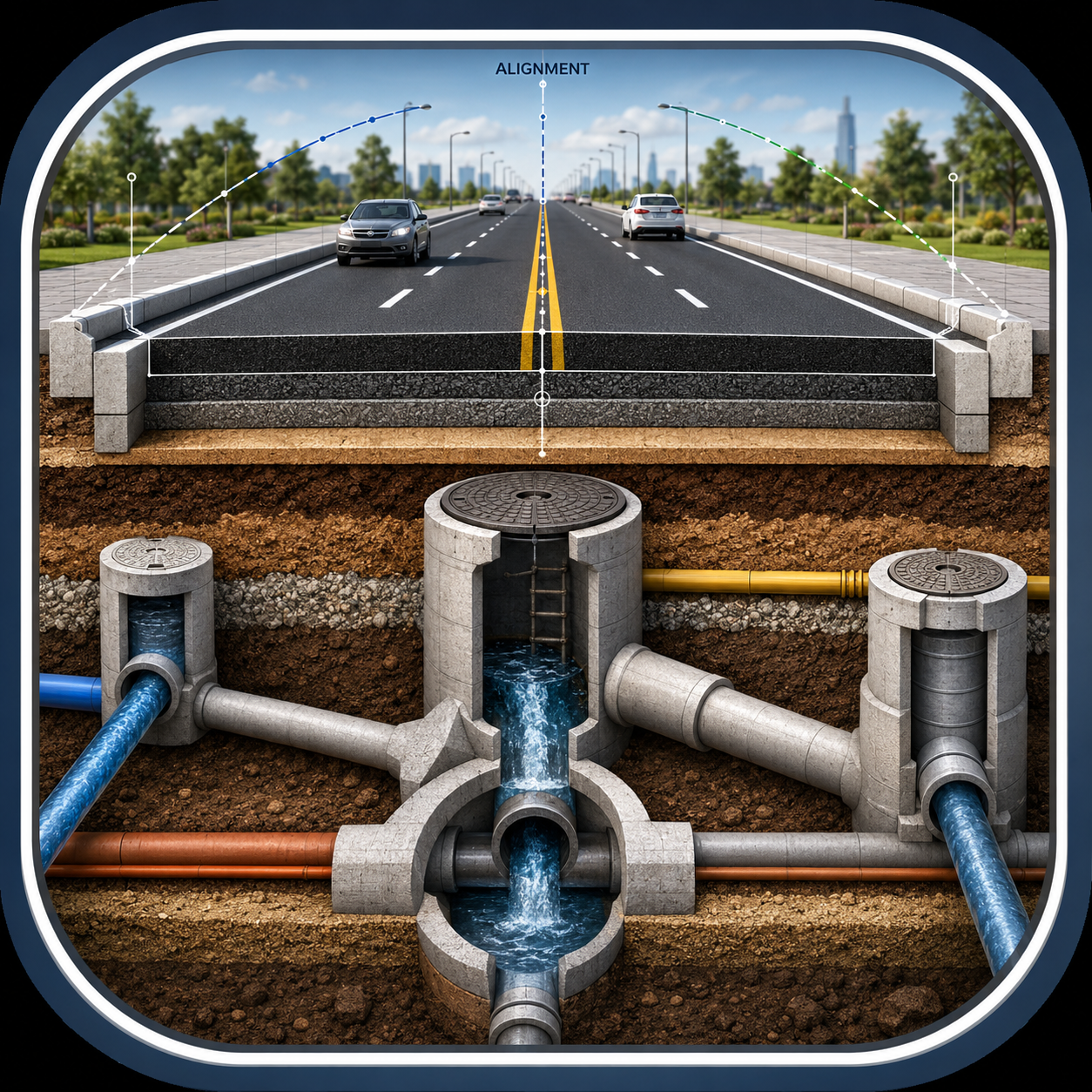
Roads & Highways Corridor Analysis
🛣️ Roads & Highways AI Design Audit Engine
Gravity Pipe Networks
🌊 Gravity Pipe Networks AI Design Audit Engine
True 3D Gravity Takeoff & Topology Validator
Execution Dashboard
Pressure Networks Analysis
💧 Pressure Networks AI Design Audit Engine
True 3D Pressure Takeoff & Components Validator
Pressure Networks Site Execution Control
Select network files to start managing execution progress.
Apps & Plugins
SIE Bridge Plugin (Free)
Download the plugin package to integrate SIE Bridge directly into your Civil 3D.
📋 Features & Overview
- Seamless Deployment: Fully compatible with Autodesk Civil 3D (2025, 2026, 2027).
- Direct Command Execution: Launch the tool instantly by clicking the ribbon button.
- About SIE Bridge: if you have not LandXML files for Gravity or Pressure Networks you can use (SIE Bridge) tool inside Civil 3d to obtain to (*.siegrav for gravity Network) or (*.siepress for Pressure Network).
Smart Network Engine (Free Trial)
Smart Network Engine (SNE) for Civil 3D — 3-Day Free Trial Test. The Ultimate Pipe Network Automation Tool Risk-Free for 72 Hours.
Ready to see how much time you can save on your next infrastructure project? Get full access to the Smart Network Engine (SNE) for 3 days and experience the speed of converting chaotic survey drawings into fully connected, engineering-validated Civil 3D pipe networks in seconds.
⏱️ Why Download the 3-Day Trial?
- No Feature Restrictions: Experience the complete, unlocked power of the premium engine. No watermarks, no limits on object counts during your trial.
- Test on Real Projects: Run the engine directly on your actual office drawings—whether you are dealing with raw text strings (MText/DBText), MLeaders, or complex nested block attributes.
- Experience the Audit Engine: Test-drive the real-time slope and diameter validation check to see how easily it catches design violations before they hit the field.
⚙️ What You Can Explore in 72 Hours:
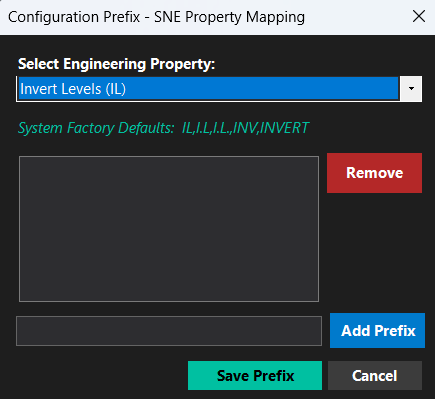
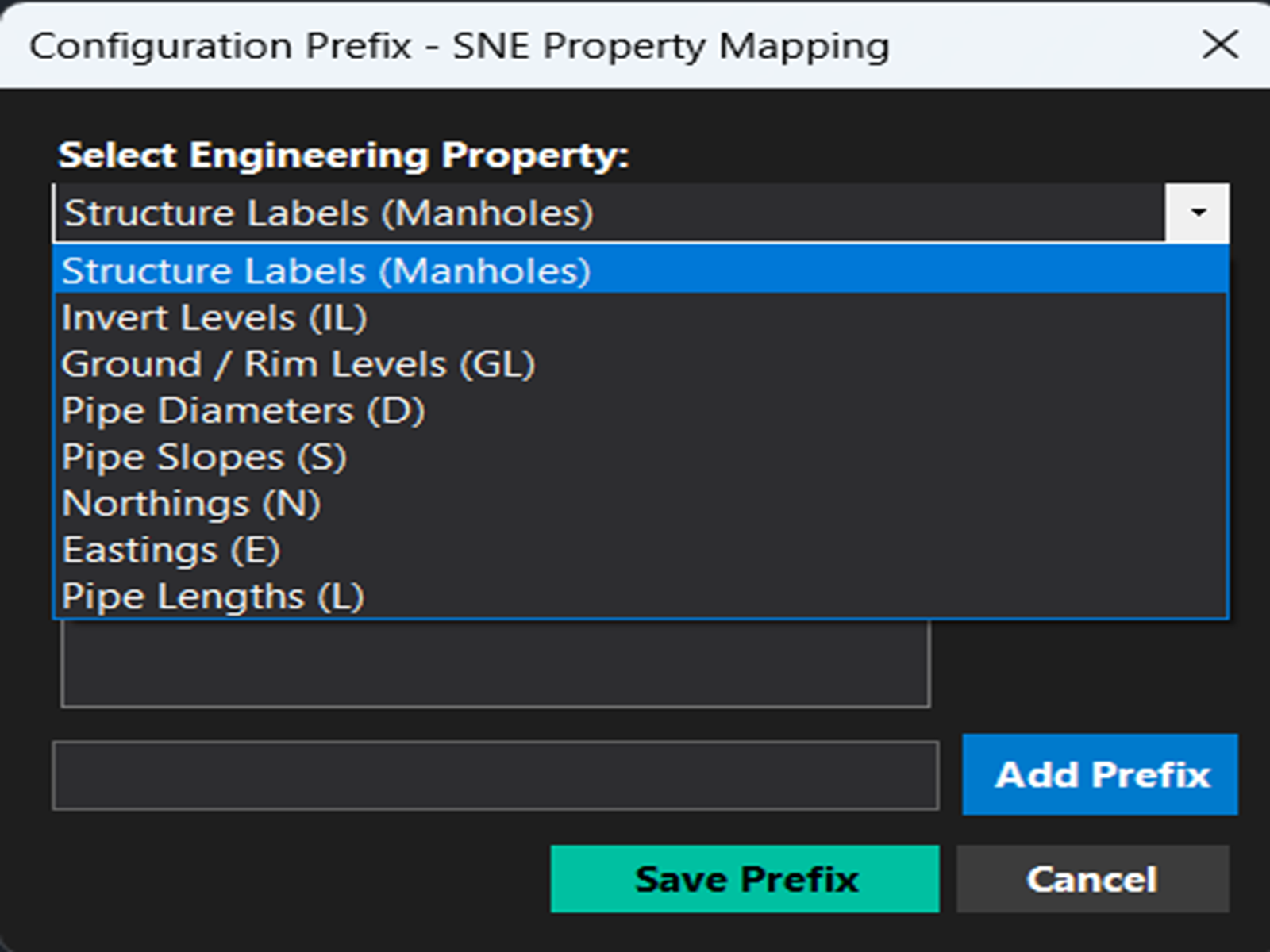
- Custom Prefix Filtering: Experience how perfectly the engine isolates structure labels (like MH-S) from pipe metadata, ensuring a completely crash-free workflow.
- Geometric Automation: Watch the advanced search radius intelligently calculate and snap missing coordinates to layout lines to maintain perfect network continuity.
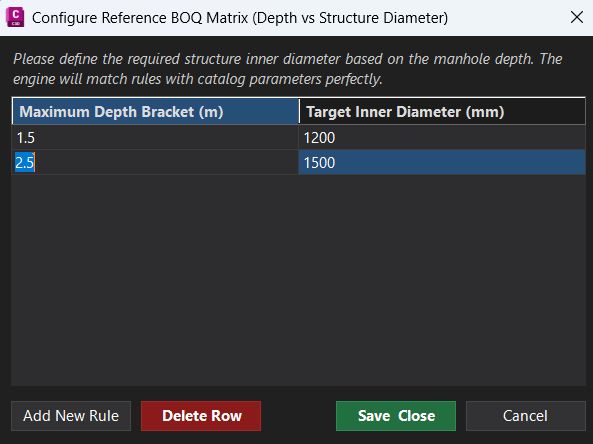
- Dynamic Mapping: Map raw drawing annotations instantly to your official Civil 3D Parts List families and reference surfaces.
🔒 Trial Terms & Activation
- Duration: 3 Days (72 hours) of full access starting immediately upon activation.
- Activation: Requires a quick, secure trial activation key tied to your machine's unique hardware identifier.
- Seamless Upgrade: Ready to permanentize your workflows? You can upgrade to the Premium License at any time during or after the trial without needing to reinstall the software.

Smart Network Engine (Full Version)
Smart Network Engine (SNE) for Civil 3D — Automate Pipe Network Creation from Raw Drawing in Seconds.
Are you tired of spending countless hours manually converting scattered survey texts, levels, and block attributes into actual Pipe Networks inside Civil 3D? Smart Network Engine (SNE) is the ultimate productivity tool built specifically for Infrastructure Engineers, BIM Managers, and Technical Office Professionals. It transforms chaotic survey drawings into fully connected, engineering-validated Civil 3D pipe networks with a single click.
🚀 Key Features (Premium Version)
- Dynamic Text & Block Recognition: Seamlessly extracts coordinates and levels from raw text strings (MText / DBText), leaders (MLeaders), or dynamic survey blocks and their nested attributes.
- Smart Parts List Mapping: Automatically matches extracted diameters and slopes from the drawing with your official Civil 3D Parts List families and sizes.
- Advanced Geometry Search Engine: Missing explicit coordinate texts for some structures? SNE uses a highly optimized geometric search radius to calculate and snap structures directly to existing layout lines, ensuring network continuity without dropping critical elements.
- Instant Engineering Audit: SNE runs a real-time validation check on your pipe slopes and diameters during the build process, immediately flagging minimum/maximum slope violations to eliminate office-design mismatches.
- Robust, Crash-Proof Logic: Built with rock-solid boundary filtering that respects user-defined prefixes (like MH-S), completely isolating pipe metadata from structure data to guarantee a zero-crash experience.
️ How It Works (In 3 Simple Steps)
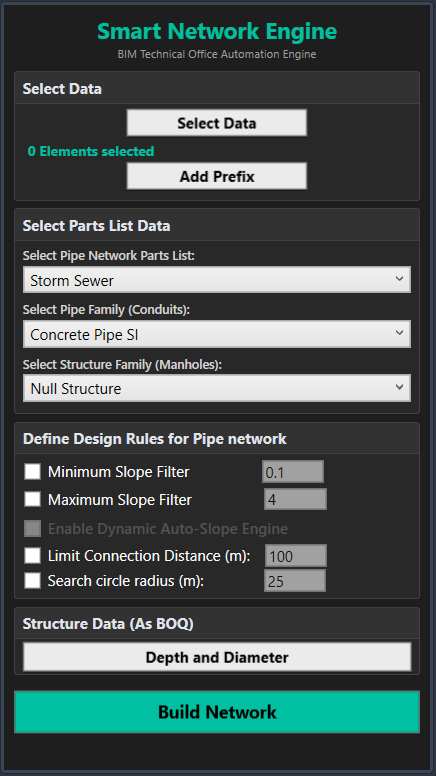
- Configure Your Prefixes: Define your structure labels (e.g., MH-S) and map them to your desired Civil 3D Parts List and Reference Surface.
- Select Objects: Select your survey area or the entire drawing—even if the labels are trapped inside unexploded blocks.
- Click "Build Network": Watch your 3D network appear instantly, complete with accurate inner diameters, invert levels, and structural connectivity, ready for instantaneous profile extraction.
💻 Compatibility & Licensing
- Software Compatibility: Fully optimized for modern Civil 3D environments (including Civil 3D 2025) and built on .NET 8 architecture for lightning-fast performance.
- Secure Licensing: Your purchase includes a Machine-Locked License system. The activation key binds securely to your hardware's unique Volume Serial Number, protecting your software investment.
🎁 What’s Included in the Package?
- SNE Installation File (.dll / bundle): Ready to drop into your ApplicationPlugins folder for immediate deployment.
- Premium Technical Support: Direct access to updates, patch fixes, and version compatibility maintenance.
- Quick-Start Engineering Guide: Best practices on preparing survey drawings to achieve flawless automation results.
👑 Admin Control Panel
<- Code Context: Step 1-3: Standards & 25 Volumes Manager Card -->⚙️ Rule Specification & Limits (Matrix Builder)
📋 Volumes Ingestion Status & Active Rules
Auto-Refreshing 🔄| Volume / Code | Sector Domain | Extraction Status | Extracted Rules | Step 4 Readiness |
|---|---|---|---|---|
| No active extractions yet. Select a volume and click 'Extract & Ingest'. | ||||